Duck Cannon
Instructions:
Mouse ClickDescription
Duck Cannon In-Depth Review and Guide
Game mechanics and objective
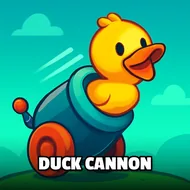
The setup is dumb in the best possible way: a duck, a cannon, and gravity working against you every single time. You load that duck up, pick your angle, and fire it across the screen chasing the longest possible flight path. There's no story here, no tutorial dragging things out, just a launch mechanic that rewards a steady hand and a bit of trial and error. Miss your first few shots and you'll want to recalibrate, because the margin between a mediocre lob and a screen-stretching bomb is thinner than you'd think.
Control Scheme
Everything runs off the mouse, and that's genuinely all you need. Click to set your power, click again to lock the angle, and the cannon does the rest, launching the duck on whatever arc you dialed in. There's a rhythm to it once you get a few rounds in, a little click-and-release cadence that starts to feel almost musical. No keyboard shortcuts, no combo inputs to memorize, just your cursor and your timing standing between you and a new personal best. It's the kind of control scheme you could hand to a kid or a distracted coworker on a lunch break and they'd figure it out inside ten seconds.
Score-Boosting Tactics
- Watch your power meter closely instead of eyeballing it — overshooting the max fill usually costs you more distance than a slightly weaker, well-timed click.
- Aim a touch lower than you think you should; a flatter trajectory tends to carry the duck further before gravity pulls it down.
- Play a handful of throwaway rounds first just to get a feel for the cannon's quirks before you start chasing a real record.
- Compare your distance against friends since this thing is built for a bit of friendly bragging rights.
- Stay loose and don't overthink each shot — tension in your click timing usually leads to shorter, sloppier launches.
- Take short breaks between attempts so fatigue doesn't creep into your clicking accuracy.