FZ Armored Vehicle Vs Tiles
Instructions:
Mouse or TouchDescription
FZ Armored Vehicle Vs Tiles Mobile & PC Control Guide
Control Scheme
Every action here comes down to a simple mouse click on a desktop browser or a direct touch on a mobile screen, letting you select a specific color before shooting at the matching colored tile moving across the field. That single-input approach keeps the format approachable across any device without needing separate control schemes for touch and desktop players.
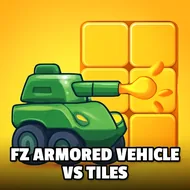
This one distills the classic tank-versus-obstacles arcade formula down to its most basic, colorful form, giving younger players an easy entry point into the broader tank-warfare genre without any of the more complicated upgrade systems or campaign structures found elsewhere. The bright, simplified visual style keeps every incoming tile easy to read even as the pace gradually increases across a longer session.
Score-Boosting Tactics
Matching your selected color precisely to the approaching tile before firing matters more than firing quickly and hoping for the best, since a mismatched shot wastes a turn that could have gone toward clearing an actual threat. Staying calm and deliberate during faster stretches, rather than clicking rapidly out of nervousness, tends to produce a noticeably higher score by the time a session actually ends. Younger players especially tend to enjoy the immediate, uncomplicated feedback loop here, since there's no upgrade system or resource management standing between spotting a tile and successfully clearing it, making this an easy pick for a short, satisfying break. Sessions rarely last more than a few minutes at a time, which makes this an easy one to squeeze into a short break without any real commitment, and returning later to try beating a previous score costs nothing beyond a single click to restart.