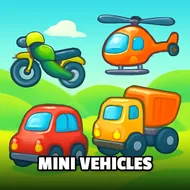
Mini Vehicles
Instructions:
WS up and down arrow keys for Gas Brake AD left and right arrows for steering Left Mouse Button Hold for special ability Space to use handbrake Left Shift for NOS I to Start Stop Engine L to toggle headlights Q-E-Z forDescription
Mini Vehicles Player Reviews and Tips
Top Tips
- Try both the tank and helicopter from the shop early on, since each vehicle handles the three available modes quite differently.
- Use the handbrake with Space to take tighter corners during a highway run without losing too much speed.
- Hold the left mouse button to activate your vehicle's special ability at a moment when it will actually matter, rather than early and wasted.
- Switch between day and night settings occasionally, since visibility changes noticeably affect how easy incoming traffic is to spot.
There's no real storyline weighing this one down, just a relaxed sandbox built around picking a vehicle and choosing how you want to spend your time with it, whether that's a leisurely free ride collecting coins, a faster highway dodge through traffic, or a more combat-focused arena mode against other vehicles. That flexible structure keeps the difficulty entirely in your own hands rather than forcing a fixed challenge curve.
Highlights
- Three distinct modes, free ride, highway, and arena, give the same core vehicle roster genuinely different ways to be enjoyed.
- A day and night toggle adds a small but noticeable visual variety to repeated sessions in the same city.
- Unlockable vehicles, including a tank and a helicopter, go well beyond a typical cars-only vehicle roster.
- NOS boosts and handbrake mechanics add a layer of skill-based control on top of simple point-to-point driving.
Switching freely between the three modes rather than sticking to just one keeps a session from ever feeling stale, and the cartoon-inspired visual style gives the whole city a lighthearted, approachable tone that suits casual, low-pressure play sessions particularly well.