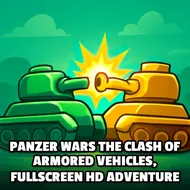
Panzer Wars The Clash Of Armored Vehicles, Fullscreen HD Adventure
Instructions:
W A S D Arrow Keys and Arrow Buttons and Trigger Button on Mobile interfaceDescription
Panzer Wars The Clash Of Armored Vehicles, Fullscreen HD Adventure In-Depth Review and Guide
Game mechanics and objective
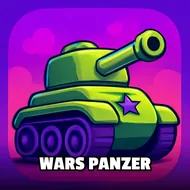
Your fort sits in the middle of a dusty battlefield, and every enemy tank on the map has one goal: blow it to scrap. That's the whole setup here. You're outnumbered from the first second, so this isn't some slow strategic crawl, it's a constant scramble to line up shots before the other side rolls close enough to fire back. Rounds are split into levels, each one throwing more tanks and tighter timing at you, and the only real cushion you get is the power-ups that pop up mid-fight. Grab them fast because they don't sit around waiting.
Controller & Keyboard Guide
- W A S D or the Arrow Keys move your tank across the field.
- Steering feels tank-like on purpose, so wide turns beat sharp jerky ones.
- The Trigger Button fires your main gun, on mobile it's a tap on the on-screen button.
- Arrow Buttons on touchscreens mirror the desktop directional controls exactly.
- Fullscreen mode is built in, so mobile players aren't squinting at a tiny window.
Pro-Level Advice
- Don't just sit still guarding the fort, moving keeps you off enemy sightlines.
- Prioritize whichever tank is closest to your base, distance matters more than tank health sometimes.
- Power-ups vanish quick, so plan your route past them instead of doubling back later.
- Watch the edges of the screen, tanks love to sneak in from the flanks while you're focused center.
- Early levels feel slow, but that's your window to practice aiming before the real chaos starts.
- Keep tapping the trigger in short bursts rather than holding it, since accuracy tends to beat spam here.