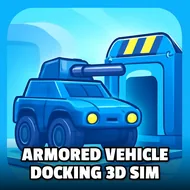
Armored Vehicle Docking 3D Sim
Instructions:
Tab - Menu ARROWS keys or WASD keys to drive C key to change view camera Mouse Look around Left Mouse ShootingDescription
Armored Vehicle Docking 3D Sim Review
Tank games usually promise explosions and deliver a mess of clipping physics, but this one leans hard into something weirdly calmer: parking. You're steering heavy armored rigs through tight obstacle courses, threading barrels and traffic cones instead of blasting everything in sight, and there's a strange satisfaction in nailing a clean reverse into a marked bay with a machine that clearly wasn't built for precision. Built on Unity3D and running straight in the browser via WebGL, it doesn't ask for downloads or patience, just a steady hand and some patience with turning radius math. Each level ramps up the clutter a bit more, cones multiply, gaps narrow, and suddenly that easy first stage feels like a warm-up joke.
Controller & Keyboard Guide
- WASD or the ARROW keys handle acceleration, braking, and steering for your tank.
- Tab opens the menu, useful for checking level progress or bailing out mid-run.
- C swaps your camera view, handy when a tight corner blocks your sightline.
- Mouse movement lets you look around the environment before committing to a maneuver.
- Left Mouse Button fires, for the moments when parking politely just isn't an option.
Top Tips
- Slow down way before the obstacle, not during it — these vehicles do not stop on a dime, and momentum will betray you.
- Switch camera angles often; one static view will hide clipped corners you didn't know were there.
- Treat every barrel and cone like it's made of glass, because clipping one usually costs you the whole attempt.
- Practice reversing in open space first, since tight-course backing up is where most runs actually fall apart.
- Unlock new tanks gradually rather than rushing ahead; heavier models handle differently and punish sloppy habits fast.
- Keep an eye on level layouts before moving, a few seconds of scanning saves a dozen restarts later.